API Overview
The Interline API lets you integrate Interline with your own systems — send and receive messages across SMS, WhatsApp, and email, manage contacts and audiences, and trigger broadcasts programmatically.
The reference is interactive — browse every endpoint, see request/response schemas, and try calls directly from the page.
Create an API key
- Go to Settings → API. The API Keys tab opens by default.
- Click Create API key.
- Give the key a descriptive name (e.g. "CRM integration"), pick an expiration, and choose its scopes.
- Click Create API Key.
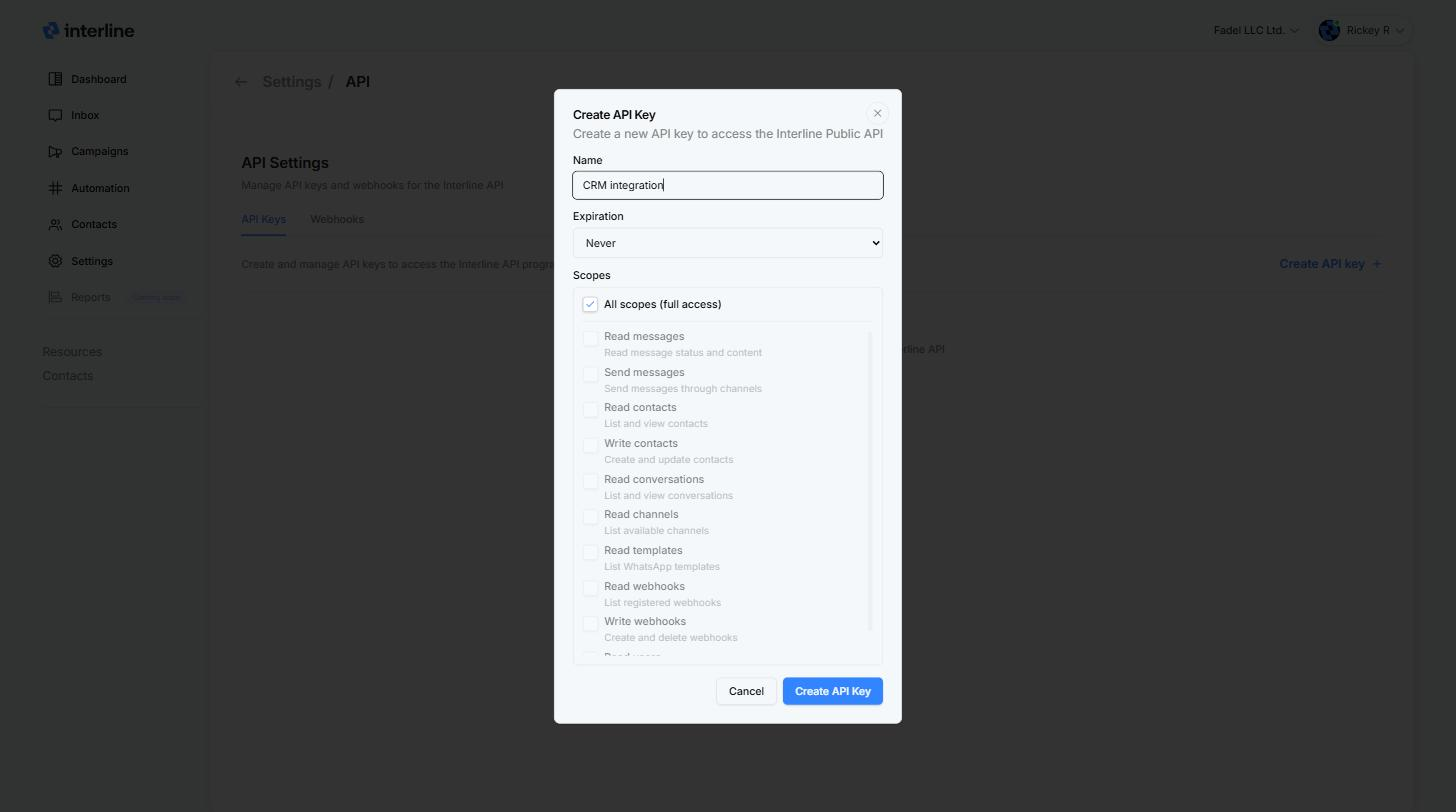
Expiration — keys can live forever (Never) or expire automatically after 7 days, 30 days, 90 days, or 1 year. Expiring keys are a good habit for short-lived integrations and testing.
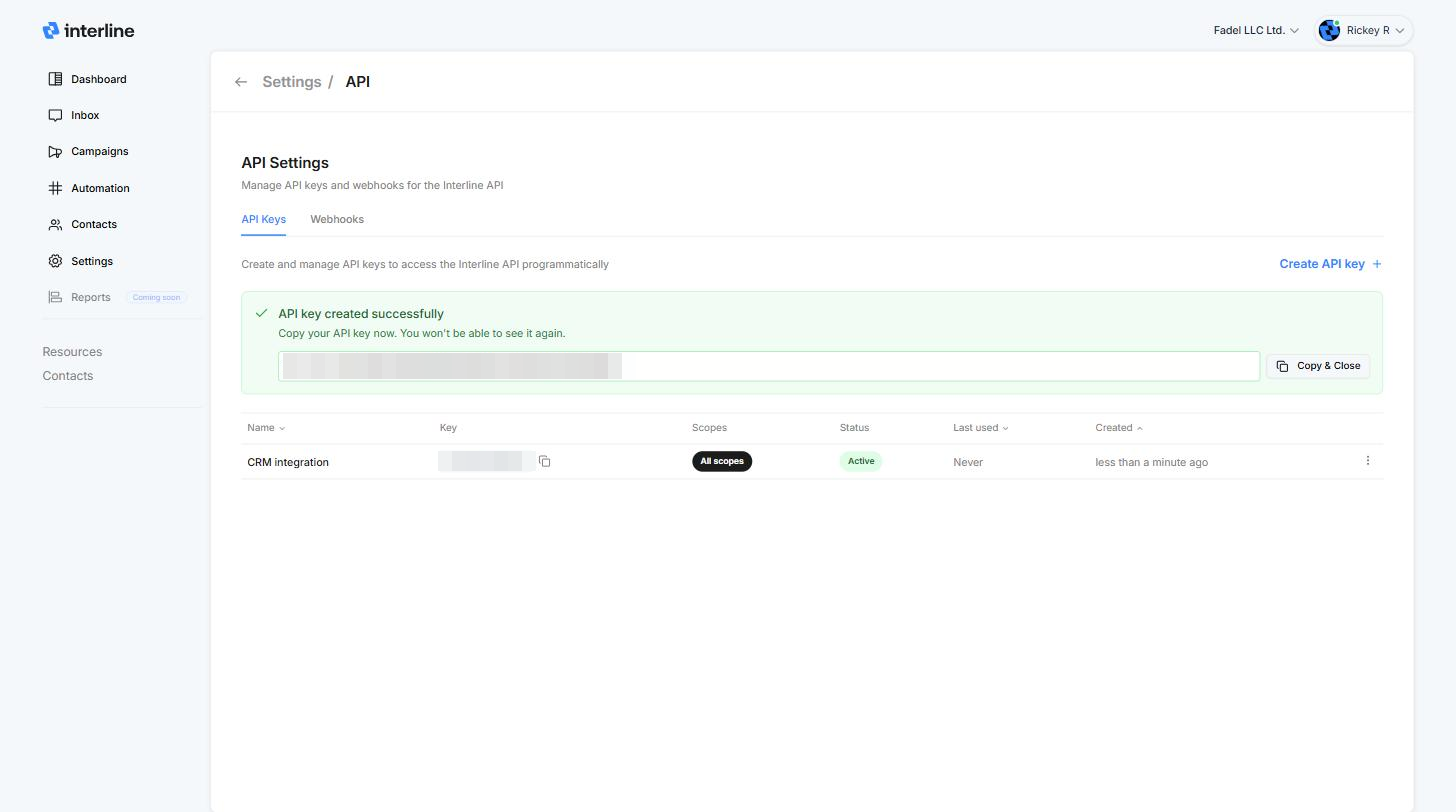
Copy your key — it's shown only once
As soon as the key is created it's displayed at the top of the page. Click Copy & Close and store it somewhere safe — for security, Interline never shows the full key again. If you lose it, revoke the key and create a new one.
Keep your key secret
Anyone with your API key can act on your account within the key's scopes. Never commit it to source control or expose it in client-side code. If a key leaks, revoke it from Settings → API and create a new one.
Scopes
Scopes control what a key is allowed to do. All scopes (full access) is selected by default — untick it to grant only what your integration needs (recommended).
| Scope | Allows |
|---|---|
| Read messages | Read message status and content |
| Send messages | Send messages through channels |
| Read contacts | List and view contacts |
| Write contacts | Create and update contacts |
| Read conversations | List and view conversations |
| Read channels | List available channels |
| Read templates | List WhatsApp templates |
| Read webhooks | List registered webhooks |
| Write webhooks | Create and delete webhooks |
| Read users | List and view organization members |
Manage existing keys
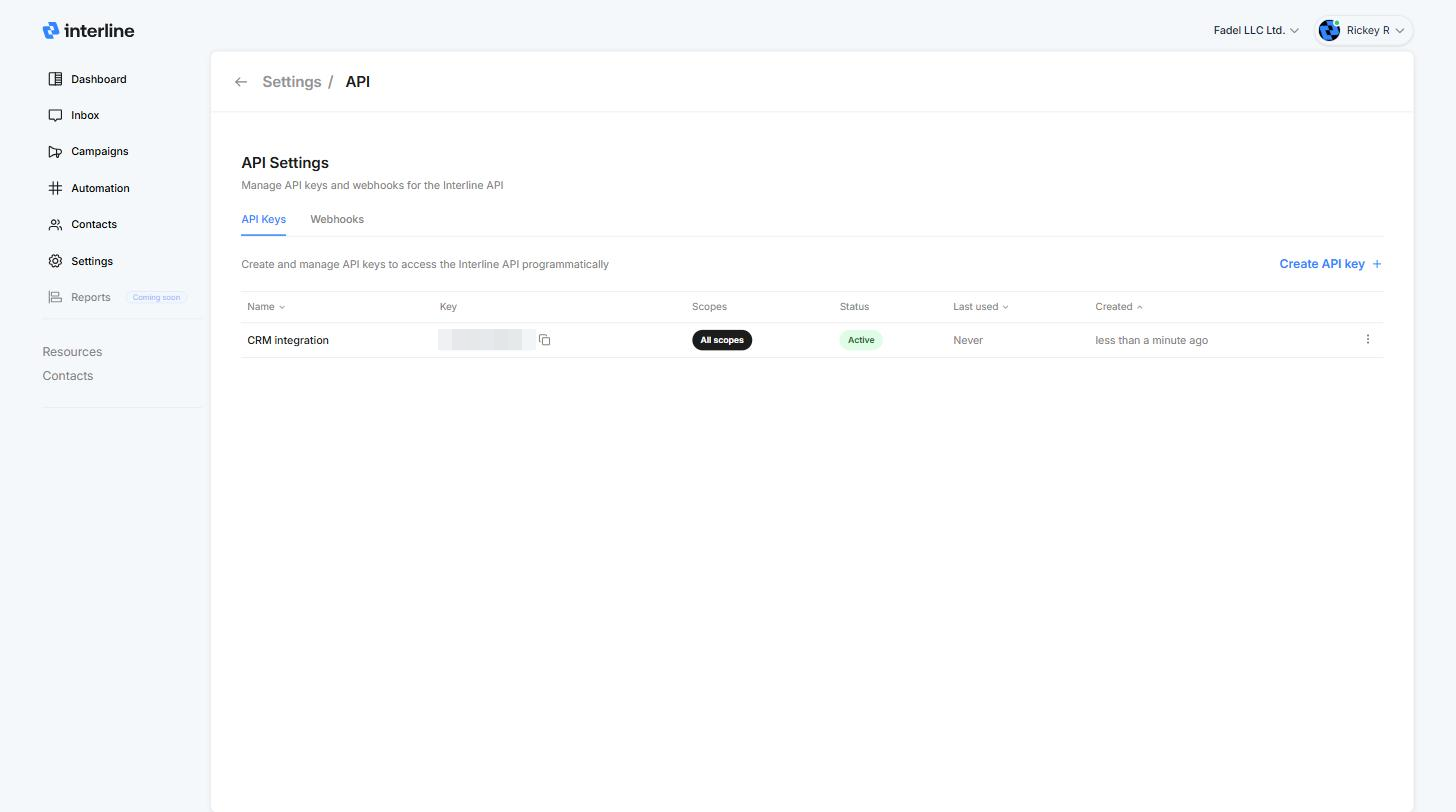
The API Keys tab lists every key with its scopes, status, last-used time, and creation date. Use the ⋮ menu on a key to revoke it.
Authenticate
Pass your API key in the Authorization header on every request:
Base URL, endpoints, parameters, and error formats are all documented in the API Reference.
Next steps
- Set up webhooks to receive real-time event notifications.
- Browse the API Reference for every endpoint and schema.